Line Art Generator — single-weight ink lines, no shading
Line art is the most demanding style in the set because there is nowhere to hide: no lighting, no texture, only contour. This template keeps a consistent line weight and closes shapes properly, which is what separates usable line art from a sketch filter.
You can also turn this style into a short looping animated GIF — billed by credits, no free tier.
Use it for tattoo concepts, colouring pages, icon bases, and editorial illustration. Ask for the weight — hairline, medium, brush — and whether hatching is allowed.
What this style actually produces
- —Consistent line weight across the whole image
- —Closed contours, no broken strokes at the edges
- —Optional hatching; off by default
- —Free daily quota after Google sign-in
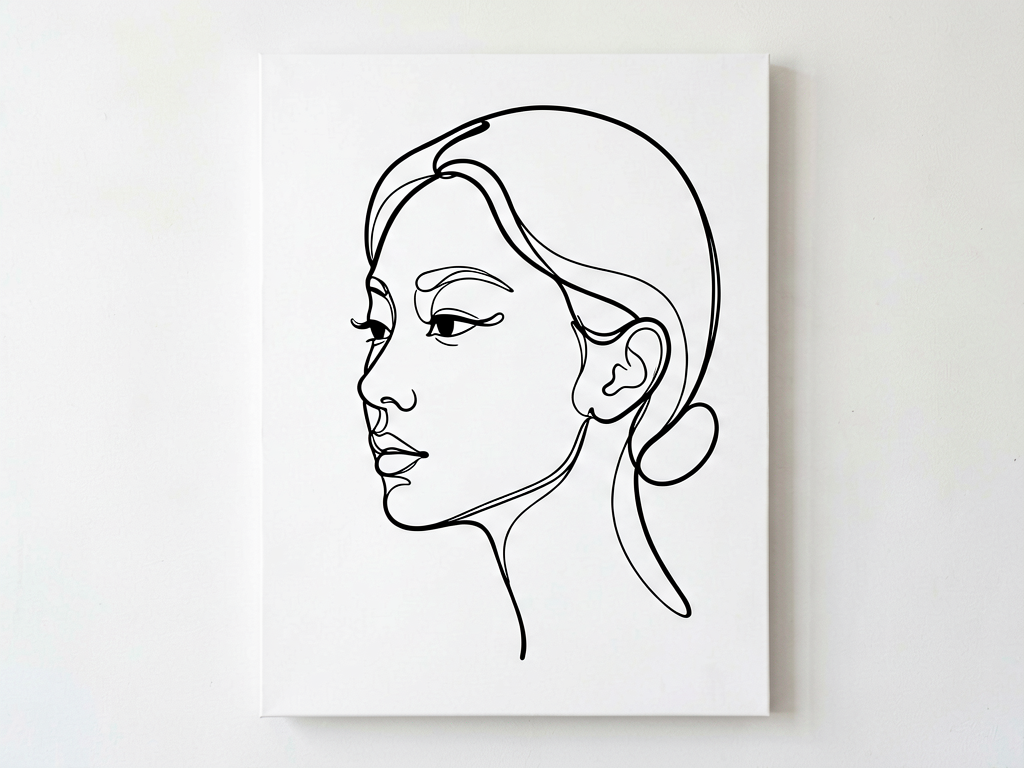
Line Art template sample
Three steps, art in seconds
- 01
Open the generator
The style comes preselected as Line Art.
- 02
Describe the character in one line
Two or three specifics: hair, outfit, one prop.
- 03
Generate and download
Static images render in seconds (GIFs take longer), downloaded without a watermark.
Common questions
Can I colour the line art afterwards?
Yes. Ask for line art on a pure white background and the result works as a fill base in any editor. Keep the background plain so the fill boundaries stay clean.
Why do some shapes stay open?
Complex overlapping forms confuse contour closure. Simplify the description; fewer overlapping elements means fewer open edges.
Is this suitable for a tattoo stencil?
The line quality is suitable for a concept, but a tattoo artist will still need to redraw for skin flow. Treat the output as a reference, not a stencil.
Related styles
Watercolor
Generate watercolor portraits with wet-on-wet washes, pigment edges, and visible paper grain. Soft, unpolished, and printable.
Ink Wash
Generate ink wash (sumi-e) art: wet brush gradients, dry-brush texture, negative space, and mist. Characters, mountains, and animals.
Dark Fantasy Tarot
Generate tarot-style card illustrations: ornate frames, symbolic props, dark fantasy palette. Describe the card and its meaning.
3 free generations per day after sign-in. No watermark, images kept permanently.
Start creating