Ink Wash Generator — sumi-e brushwork, paper and mist
Ink wash is built on two things: water control and empty space. A wet brush gives a gradient in one stroke; a dry brush gives texture; unpainted paper becomes mist, water, or sky. This template protects the negative space instead of filling it, which is what most digital ink art gets wrong.
You can also turn this style into a short looping animated GIF — billed by credits, no free tier.
Best for characters in landscape, animals, and single-subject compositions. Describe the moisture level — wet wash, dry brush — and what should stay unpainted.
What this style actually produces
- —Single-stroke wet gradients and dry-brush texture
- —Deliberate negative space kept unpainted
- —Paper grain and slight ink bleed at the edges
- —Daily free generation after Google sign-in
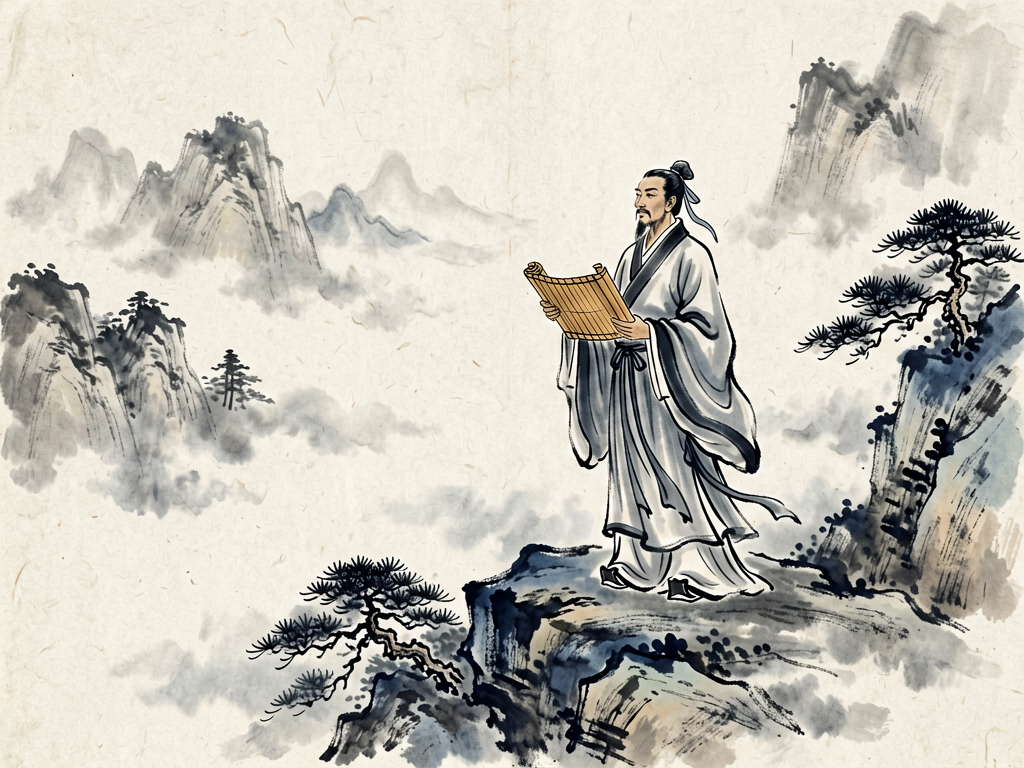
Ink Wash template sample
Three steps, art in seconds
- 01
Open the generator
The style comes preselected as Ink Wash.
- 02
Describe the character in one line
Two or three specifics: hair, outfit, one prop.
- 03
Generate and download
Static images render in seconds (GIFs take longer), downloaded without a watermark.
Common questions
Can I add a red seal or calligraphy?
Yes, ask for a small red seal. Avoid long calligraphy: text rendering in brush style is unstable beyond a few characters.
Why does the image look grey instead of black?
Ink wash needs a true black core. Ask for "deep black ink core, wide grey wash" and the contrast returns.
Can it do colour ink wash?
Yes — light vermilion or indigo washes are common. Keep it to one accent colour; more turns the piece into a painting rather than ink work.
Related styles
Watercolor
Generate watercolor portraits with wet-on-wet washes, pigment edges, and visible paper grain. Soft, unpolished, and printable.
Line Art
Generate clean line art: single-weight ink contours, no shading, white background. Ideal for icons, tattoos, and colouring bases.
Dark Fantasy Tarot
Generate tarot-style card illustrations: ornate frames, symbolic props, dark fantasy palette. Describe the card and its meaning.
3 free generations per day after sign-in. No watermark, images kept permanently.
Start creating