Claymation Generator — stop-motion clay characters
Claymation reads through imperfection: thumbprints, slightly uneven eyes, a seam where two pieces were pressed together. This template keeps those marks instead of smoothing them into generic 3D, which is exactly what makes a clay frame believable.
You can also turn this style into a short looping animated GIF — billed by credits, no free tier.
It suits short-film concepts, character designs, and playful product work. Ask for a diorama or a close-up and the set dressing follows — miniature props, a paper backdrop, warm key light.
What this style actually produces
- —Visible thumbprints and uneven clay edges
- —Soft warm key light, miniature-set scale
- —Optional diorama props and paper backdrops
- —Free daily quota with Google sign-in
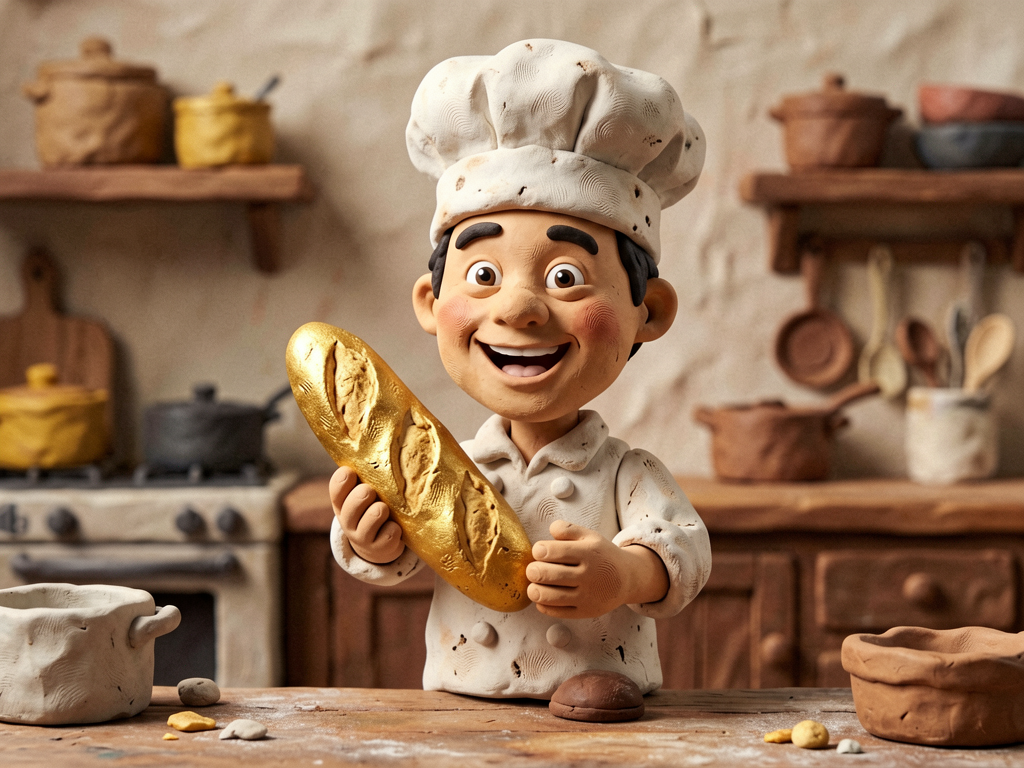
Claymation template sample
Three steps, art in seconds
- 01
Open the generator
The style comes preselected as Claymation.
- 02
Describe the character in one line
Two or three specifics: hair, outfit, one prop.
- 03
Generate and download
Static images render in seconds (GIFs take longer), downloaded without a watermark.
Common questions
Why does clay sometimes look like plastic 3D?
Over-smoothing. Ask explicitly for thumbprints, fingerprints, and a matte clay surface; that keeps the material readable.
Can I animate the result?
WinkImg generates stills. You can generate a few frames with small pose changes and sequence them for a rough stop-motion test, but consecutive frames are not guaranteed to match.
Which characters work best in clay?
Characters with one strong silhouette — a big head, a hat, a single prop. Fine detail such as jewellery tends to disappear in clay.
Related styles
Desk Figurine
Turn a short description into a collectible vinyl figurine. Macro photography, soft RGB desk lighting, real toy materials. No prompt engineering needed.
Pop Mart
Design blind-box style collectible toys: smooth vinyl, pastel palette, clean studio background. Type a character idea, get a shelf-ready toy.
Low-Poly 3D
Generate low-poly 3D renders: flat facets, simple materials, soft studio lighting. Characters, props, and diorama scenes.
3 free generations per day after sign-in. No watermark, images kept permanently.
Start creating